 Navigate outages and cyber
threats with our Emergency POS
app and AMS1 smart terminal.
The Emergency POS is a standalone, barebones Android application developed by NaviPartner for NP Pay, designed to ensure continuous sales operations during outages.
The Emergency POS is a standalone, barebones Android application developed by NaviPartner for NP Pay, designed to ensure continuous sales operations during outages.
Uninterrupted sales operations
Easy to install and carry out a one-time setup of the app, so it’s ready when an outage occurs. It allows you to record barcodes, prices, and customer contact details, as well as process payments through the software terminal integrated with NP Pay. Once reconnected to Business Central servers, all sales data is synchronized, transactions are posted, and digital receipts are sent.
Comprehensive coverage for outages
Provides protection against various types of outages, including cloud server failures, cyberattacks, power outages, Internet disruptions, and problematic updates, ensuring that sales operations continue uninterrupted.
Versatile usage
It functions in multiple modes: as a traditional countertop payment terminal during normal operations, a mobile POS (mPOS) for on-the-go transactions, and a reliable emergency POS during downtime for scanning barcodes, processing offline payments, and collecting customer details. This means you won’t have to purchase additional hardware specifically for the emergency POS use-case!
Redundant connectivity
Equipped with built-in 4G connectivity and the ability to connect to store Wi-Fi, ensuring redundant Internet access and reliable performance even during internet disruptions.
Always ready
The device remains charged and operational when used daily as a classic countertop terminal in a charging dock. This means that if an outage occurs, the device is already fully charged and ready to be undocked and used in a standalone mode with our emergency POS app.
Enhanced security
Separate from your regular POS devices, it safeguards against ransomware and other cyber threats, ensuring that sales operations can continue even if your primary POS system is compromised.
Disadvantages of old-school offline POS solutions
If we were to implement a traditional offline POS system that syncs periodically with headquarters, it would present numerous drawbacks for our customers:

Increased complexity and costs:
Developing integrations would be more challenging, leading to higher total ownership costs. This would hinder our goal of maintaining the lowest possible day-to-day costs and maintenance.
Developing integrations would be more challenging, leading to higher total ownership costs. This would hinder our goal of maintaining the lowest possible day-to-day costs and maintenance.
Limited outage coverage:
Such a system wouldn’t address crucial outage risks, such as cyberattacks (e.g., ransomware), power failures, or issues caused by bad updates (e.g. Windows updates, security software like CrowdStrike). Consequently, our customers would still be vulnerable to these disruptions.
Such a system wouldn’t address crucial outage risks, such as cyberattacks (e.g., ransomware), power failures, or issues caused by bad updates (e.g. Windows updates, security software like CrowdStrike). Consequently, our customers would still be vulnerable to these disruptions.

Four use cases, one device
Classic Payment Terminal
The device can be docked and it can function as a traditional payment terminal on your countertop, facing customers and connected to your regular POS system. This also ensures that it’s always charged!
Mobile POS
If you require a mobile POS (mPOS) for on-the-go transactions, you can undock the device and load our standard mPOS app. This feature is ideal for queue-busting, events, cafes, restaurants, and customer experience-focused scenarios.
Emergency mode
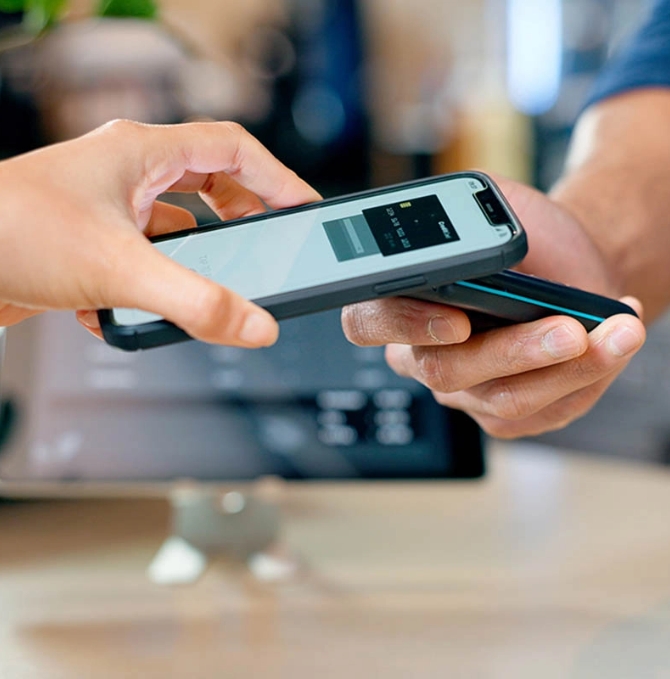
In the event of a downtime, you can undock the device, load our new Emergency POS app, scan barcodes, enter prices, and accept offline terminal payments via NFC, chip, or magnetic stripe. Additionally, you can collect customer contact information (phone/email) to send digital receipts once all systems are back online.
Mobile WMS
When it’s time to perform inventory in the stores, you can undock the device, open our WMS app, and use it as a status scanner that connects directly to Business Central. You can customize it with as many or as few WMS features as you need, depending on your exact needs.
Classic Payment Terminal
The device can be docked and it can function as a traditional payment terminal on your countertop, facing customers and connected to your regular POS system. This also ensures that it’s always charged!
Mobile POS
If you require a mobile POS (mPOS) for on-the-go transactions, you can undock the device and load our standard mPOS app. This feature is ideal for queue-busting, events, cafes, restaurants, and customer experience-focused scenarios.
Emergency mode
In the event of a downtime, you can undock the device, load our new Emergency POS app, scan barcodes, enter prices, and accept offline terminal payments via NFC, chip, or magnetic stripe. Additionally, you can collect customer contact information (phone/email) to send digital receipts once all systems are back online.
Mobile WMS
When it’s time to perform inventory in the stores, you can undock the device, open our WMS app, and use it as a status scanner that connects directly to Business Central. You can customize it with as many or as few WMS features as you need, depending on your exact needs.
The unbreakable connection between the Emergency POS app and AMS1
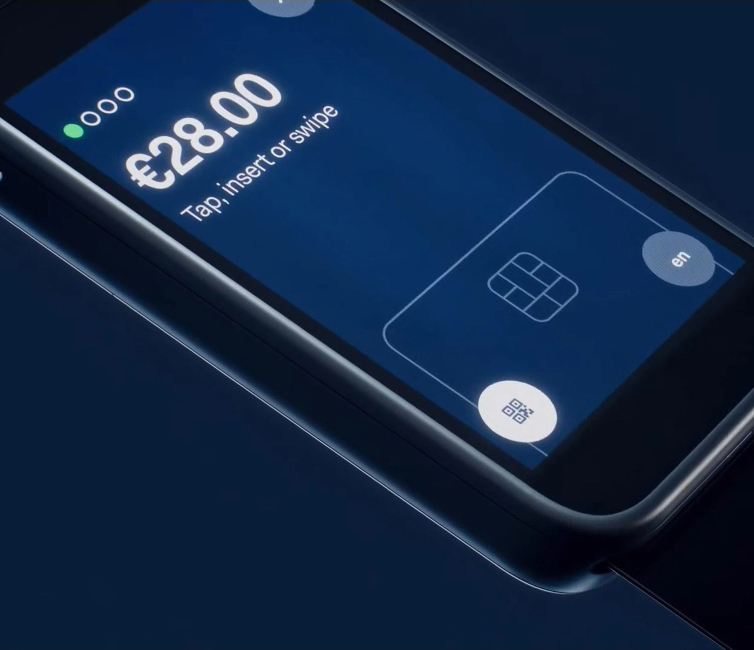
AMS1 is an all-in-one payment terminal that supports Android app installations and is designed to facilitate fast and mobile payment solutions. Equipped with built-in 4G connectivity and the ability to connect to store Wi-Fi, the AMS1 device ensures internet redundancy. Its ability to be used as a classic countertop terminal while docked keeps it charged and ready to operate during power outages. Moreover, its separation from your regular POS machines provides a safeguard against ransomware attacks, ensuring uninterrupted sales. Most importantly, this device remains valuable in your daily operations, serving as either a mobile POS or a countertop payment terminal.
To ensure that our retail clients can continue processing payments even during Internet outages in their stores, we recommend installing our Emergency POS app on devices approved for offline payments, specifically the AMS1. Other Android devices will require an Internet connection and will not cover offline scenarios.
Download now on Google Play and keep your business running smoothly, no matter what!
Curious about how our solution can support your retail business? Get our Android app from the Google Play Store and explore all its powerful features!

Market-leading hardware
We have tested and selected a range of basic and advanced hardware that you can purchase for our NP Emergency POS app. This selection ensures you can find high-quality equipment specifically designed to enhance the efficiency and functionality of our app. The NP Emergency POS app can be installed on standard Android devices or NP Pay terminals.
Standard
Android devices
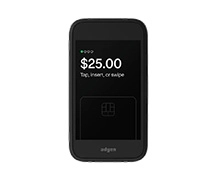
AMS1
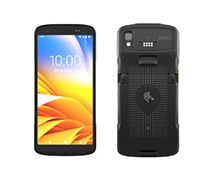
Zebra TC27
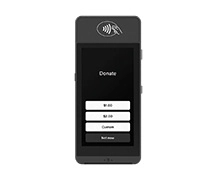
S1E2L
Explore our customers’ stories



How NP WMS and RFID transformed inventory management and maximized ROI at Vibholm
Case Study, NP Ecommerce, NP Retail, NP WMS
Read More



Preserving tradition, embracing new technology: Aveny’s journey of modernization and excellence!
Case Study, NP Ecommerce, NP Retail, NP WMS
Read More



How BonBon-Land transforms guest experience with IT solutions designed for family fun and sweet memories
Case Study, NP Attraction, NP Hospitality, NP Pay, NP Retail, NP Store Assistant
Read More

Din Boghandel: A new chapter with NaviPartner and Shopify
Case Study, NP Ecommerce, NP Retail
Read More